
So, you’re curious about keeping things private online, especially when you’re exploring certain lifestyle choices. It’s a common question: what’s really necessary to stay safe, and what’s just a bunch of techy overkill? We’re going to break down some of the common advice out there, look at what actually works, and figure out what’s worth your time and effort. Think of this as a straightforward guide to OpSec Tools for Swingers: What’s Worth Using (and What’s Overkill).
Key Takeaways
- Your online activity leaves a trail. Websites and apps collect data, building a picture of your habits, even if you think you’re being discreet.
- Secure communication matters. Using encrypted messaging apps and email services is a good start, but be mindful of where and how you connect, like avoiding public Wi-Fi for sensitive chats.
- Device security is more than just a password. Simple steps like randomizing your device’s MAC address can make tracking harder, and keeping your phone physically secure is always smart.
- Understanding how surveillance works helps you avoid common mistakes. Don’t assume you’re invisible online; stick to consistent privacy practices.
- Not all privacy tools are created equal. While VPNs and Tor can offer more anonymity, know their limits and when simpler, more practical steps are sufficient.
Understanding Digital Footprints
Think about all the little bits of information you leave behind when you go online or use your devices. It’s like leaving footprints in the sand, but these digital ones can stick around for a very, very long time. Every click, every search, every message contributes to a trail that can paint a surprisingly detailed picture of who you are. It’s not just about what you post publicly; it’s also about the metadata, the connections you make, and even how long you linger on a page.
The Pervasiveness of Online Tracking
It’s easy to think that if you’re not actively sharing something, you’re invisible. That’s not really the case. Websites, apps, and even your internet service provider can collect data about your online activities. This happens through cookies, tracking pixels, and other methods that are often hidden from view. They can see which sites you visit, how long you’re there, and what you do on those sites. This information is gathered to build profiles for advertising, but it can also be used for other purposes.
How Data Becomes a Dossier
Individually, a single piece of data might not seem like much. But when you start connecting the dots – your IP address, your device’s unique identifiers, your browsing history, your location data, and even your social media activity – a much larger picture emerges. This collected information can be stored and analyzed, creating a detailed profile, or dossier, on you. It’s not like the old days with physical file cabinets; now, it’s all digital and can be accessed and processed incredibly quickly.
The Illusion of Anonymity
Many people believe they are anonymous online, especially if they use a VPN or try to clear their browser history. While these steps can add layers of privacy, true anonymity is incredibly difficult to achieve. The systems designed to collect data are vast and sophisticated. Even if your identity is masked for one purpose, the underlying data can often be linked back to you through other means, especially if law enforcement or intelligence agencies are involved. It’s a constant game of cat and mouse, and the technology for tracking is always evolving.
Here’s a quick look at what kind of data can be collected:
- Browsing History: Websites visited, time spent on each site.
- Search Queries: What you look for online.
- Location Data: Where your devices are located.
- Device Information: IP address, device type, operating system.
- Social Media Activity: Posts, likes, connections, and interactions.
- Communication Metadata: Who you contacted, when, and for how long (though not necessarily the content itself).
Navigating Communication Channels

When you’re looking to connect with others, especially in the lifestyle, how you communicate is a big deal. It’s not just about what you say, but how you say it and where you say it. Think of it like this: you wouldn’t discuss sensitive plans in a crowded public square, right? The same logic applies online.
Secure Messaging Apps
So, what’s the deal with secure messaging apps? These are apps designed with privacy in mind. They often use end-to-end encryption, which means only you and the person you’re talking to can read the messages. Not even the app company can see what you’re sending. It’s like having a private conversation in a soundproof room.
- Signal: This one is often recommended by privacy folks. It’s free, open-source, and has strong encryption. You need a phone number to sign up, but they don’t store much data about you.
- Wire: Another solid option, especially for groups. It also uses end-to-end encryption and has a clean interface. It’s available on most platforms.
- Telegram: While popular, it’s a bit of a mixed bag. The default chats aren’t end-to-end encrypted; you have to specifically start a “secret chat” for that. So, be mindful of that setting.
Encrypted Email Services
Email is still around, and if you use it for anything sensitive, you’ll want to look into encryption. Standard email is basically a postcard – anyone who handles it can read it. Encrypted email adds a layer of security.
- ProtonMail: Based in Switzerland, ProtonMail offers end-to-end encrypted email. It’s pretty user-friendly and has a free tier to get you started.
- Tutanota: This is another strong contender, based in Germany. It also provides strong encryption for your emails and is known for its focus on privacy.
Remember, even with encryption, the metadata (like who you emailed and when) might still be visible. It’s about protecting the content of your messages.
The Risks of Public Wi-Fi
We’ve all done it – hopped onto free Wi-Fi at a coffee shop or airport. It’s convenient, sure, but it’s also a potential security minefield. Public Wi-Fi networks are often unsecured, making it easier for others on the same network to snoop on your activity. Think of it like shouting your secrets across a crowded room. Someone could potentially intercept your data, including login details or personal messages, if they know what they’re doing.
If you absolutely must use public Wi-Fi, using a VPN (Virtual Private Network) is highly recommended. A VPN encrypts your internet traffic, making it much harder for anyone to see what you’re doing.
Device Security and Privacy
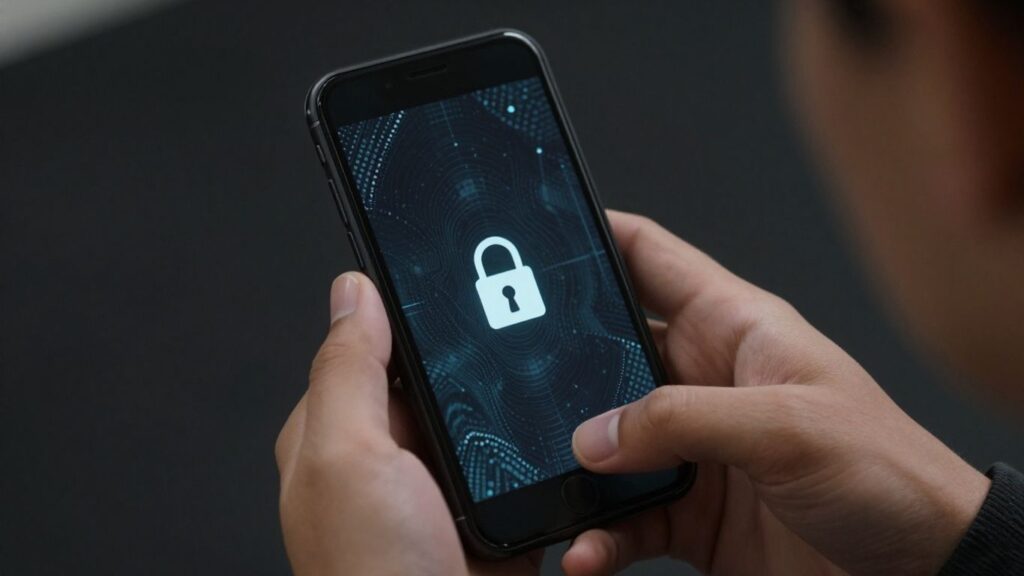
When we talk about keeping our private lives private, our phones and laptops are usually the first things that come to mind. It’s not just about locking your screen, though. Think about all the little ways these devices can give away information without you even realizing it. Understanding how your devices work and what data they’re sending out is a big part of staying safe.
MAC Address Randomization
Your device has a unique identifier called a MAC address, kind of like a serial number for its network hardware. Normally, it’s the same every time your device connects to a network. This can be used to track you across different Wi-Fi hotspots. MAC address randomization is a feature on many modern phones and computers that makes your device use a different, temporary MAC address each time it connects to a new network. This makes it much harder for anyone to build a long-term profile of your movements based on Wi-Fi connections. It’s a good step, but it’s not foolproof. Some apps or networks might still find ways to identify you.
Securing Mobile Devices
Your phone is basically a mini-computer that goes everywhere with you. Keeping it secure involves a few layers. First, always use a strong passcode or biometric lock (like fingerprint or face ID). Don’t just rely on a simple four-digit PIN. Beyond that, be mindful of the apps you install. Check their permissions carefully – does that flashlight app really need access to your contacts and location? Regularly update your device’s operating system and apps; these updates often patch security holes that could be exploited. Also, consider disabling features like Bluetooth and location services when you’re not actively using them. It might seem like a small thing, but it reduces the ways your device can be pinged or tracked.
Physical Security Measures
Digital security matters, but physical security is just as important. If someone gets your device even briefly, they could install malware or copy data. Stay aware of your surroundings when using devices in public. Never leave your laptop or phone unattended, even for a moment. When traveling, use a laptop lock in hotels and keep devices with you whenever possible. For sensitive information, use encrypted storage so lost or stolen devices are far harder to access. Enable screen locks and strong passcodes, and consider full-disk encryption on laptops and phones. Have a response plan if a device is compromised: change passwords, revoke sessions, and use remote wipe or “Find My Device” features when available. Back up important files securely so you can recover quickly. Physical access is often the easiest path to a breach, so treat your devices like keys to your identity. Also, avoid exposing ordinary citizens to reporting risks without a comprehensive briefing in critical situations.
Operational Security in Practice
Okay, so we’ve talked about the digital side of things, but what does this actually look like when you’re out and about, or just trying to live your life without leaving a giant breadcrumb trail? It’s about being aware of how others might be watching and then doing things to make that harder for them. Think of it like playing a game of chess, but the other side has way more pieces and knows the board better than you do. You’ve got to be smart about your moves.
Recognizing Surveillance Tactics
Sometimes, it feels like you’re being watched, and often, you might be right. Surveillance isn’t just about shadowy figures in trench coats anymore. It can be much more subtle. Think about how often your phone pings cell towers, or how public Wi-Fi networks can be used to track devices. Even seemingly innocent things like loyalty cards at stores can build a profile on your habits. The key is to understand that many of these methods are passive; they collect data without you even knowing it. It’s not always about someone actively following you, but about systems gathering information constantly.
- Device Proximity: Multiple devices in close proximity, especially if they have unique identifiers like MAC addresses, can be used to track movement patterns. This is how people might be identified in a specific area at a specific time.
- Network Monitoring: Public Wi-Fi, as we’ve touched on, is a goldmine for those looking to intercept data or track users. Even if you’re just browsing, your activity can be logged.
- Data Aggregation: Information from various sources – your online activity, location data from apps, even public records – can be combined to create a detailed picture of your life.
Avoiding Common OpSec Pitfalls
People make mistakes, and in the world of operational security, those mistakes can have real consequences. One of the biggest traps is complacency. You might start off being super careful, but over time, you get comfortable, and that’s when you slip up. Another common issue is inconsistency. You might use a secure app for one conversation but then use a regular text message for something equally sensitive. It’s like locking your front door but leaving the back window wide open.
Here are some common mistakes to watch out for:
- Over-reliance on a single tool: Thinking one app or one method will solve all your privacy problems is a mistake. A layered approach is always better.
- Discussing sensitive information in insecure environments: Talking about private matters over unencrypted calls or in public places where conversations can be overheard is a big no-no.
- Ignoring metadata: Even if the content of your message is private, the metadata (who you talked to, when, for how long) can still reveal a lot.
- Using default settings: Many devices and apps come with default privacy settings that are not very private. Always check and adjust them.
The Importance of Consistent Practices
This is where a lot of people fall down. You can have all the right tools and knowledge, but if you’re not using them consistently, it’s all for naught. Think about it: if you’re super careful about your online communications but then leave your phone unlocked on a table at a bar, you’ve just undone a lot of your hard work. OpSec isn’t a one-time setup; it’s an ongoing habit. It needs to be woven into your daily routine so that it becomes second nature. Consistency is the bedrock of good operational security. It means applying your chosen security measures every single time, without exception, even when you’re tired or feel like it’s not a big deal.
Legal Frameworks and Surveillance
Okay, so let’s talk about the legal side of things when it comes to surveillance. It can get pretty complicated, and honestly, it’s not always straightforward. You hear a lot about government agencies collecting data, but understanding the rules they’re supposed to follow, and when they might bend them, is key.
Understanding FISA and Its Rulings
The Foreign Intelligence Surveillance Act, or FISA, is a big one. It sets up rules for how the government can conduct surveillance for national security purposes, especially when it involves people in the US. There’s a special court, the Foreign Intelligence Surveillance Court (FISC), that reviews requests for these surveillance operations. Sometimes, the court releases opinions that give us a peek into how these programs are working, or not working, as the case may be. It turns out, even with all the rules, there have been instances where agencies haven’t followed them perfectly. These aren’t always deliberate attempts to break the law, but more like mistakes or misinterpretations. The FISC often requires agencies to fix these issues and report back, which actually gives some confidence that the system is trying to self-correct. It’s a complex dance between security needs and individual privacy.
The Role of Oversight Committees
Beyond the FISC, there are also congressional oversight committees. Their job is to keep an eye on intelligence activities and make sure agencies are playing by the rules. They review programs and can hold hearings. It’s supposed to be a check and balance. These committees are generally aware of the technical details and legal nuances involved. They’ve looked into the NSA’s operations and, in some cases, have noted that while mistakes happen, there haven’t been widespread cases of deliberate rule-breaking by the agency as a whole. Still, the government does sometimes use specific language or definitions that can be confusing to the public, which is why understanding the definitions of terms used in surveillance is important.
Government Transparency and Secrecy
This is where things get really murky. While FISA and oversight committees are meant to provide some transparency, a lot of what intelligence agencies do happens behind closed doors. There’s a constant tension between the need for secrecy to protect national security and the public’s right to know what the government is up to. Sometimes, the government might say they aren’t ‘listening’ to calls, but that leaves open the possibility they are recording or transcribing them. Legal definitions matter here. For example, under certain laws, ‘acquisition’ of communication content can be considered surveillance, regardless of whether it’s made understandable. It’s a bit of a legal maze, and what seems straightforward on the surface can have layers of complexity underneath. It’s worth remembering that in some places, like Ontario, Canada, certain consensual roleplay activities are legally protected, provided specific laws are followed, showing how legal interpretations can vary master-slave roleplay.
Advanced OpSec Tools for Swingers

When you’re involved in the swinging lifestyle, protecting your privacy online is a big deal. It’s not just about keeping things discreet from nosy neighbors or colleagues; it’s about safeguarding your relationships and personal information. While basic OpSec is important, sometimes you need to bring out the heavy hitters. This is where advanced tools come into play for better swinging lifestyle security.
VPNs and Their Limitations
Virtual Private Networks, or VPNs, are often the first thing people think of for online privacy. They work by routing your internet traffic through a server in another location, masking your real IP address. This can make it harder for websites and even your ISP to track your online activities. For couples concerned about online privacy for couples, a VPN can add a layer of protection when browsing or using discreet dating apps for married people. However, VPNs aren’t a magic bullet. The VPN provider itself can still see your traffic, so choosing a reputable provider with a strict no-logs policy is super important. Also, some services might block VPN users, which can be a pain.
Tor Network for Enhanced Anonymity
For a higher level of anonymity, there’s the Tor network. Tor, which stands for The Onion Router, bounces your internet traffic through a series of volunteer-operated servers, encrypting it at each step. This makes it incredibly difficult to trace your online activity back to you. It’s a powerful tool for protecting your identity as a swinger, especially if you’re worried about surveillance. However, Tor can be slow, and like VPNs, some websites don’t play nice with Tor users. It’s best used for specific situations where maximum anonymity is needed, rather than for everyday browsing.
When to Use Specialized Tools
Beyond VPNs and Tor, there are other tools and practices to consider for secure communication for couples and protecting identity in the swingers community. Think about using end-to-end encrypted messaging apps for all your communications. These apps ensure that only you and the person you’re communicating with can read the messages. For those looking for secure swinger dating apps, always check their privacy policies and how they handle user data. Remember, discretion in open relationships is key, and that extends to your digital life.
Here’s a quick rundown of when to consider these tools:
- High-Risk Communications: If you’re discussing sensitive plans or meeting new people for the first time, using encrypted apps and a VPN is a good idea.
- Researching New Venues or Events: When looking into new places or events, using Tor can help prevent your search history from being linked back to you.
- General Browsing: For everyday online safety for swingers, a good VPN is usually sufficient, but always be mindful of what information you share.
It’s also worth noting that even the best tools can’t protect you if you’re not careful. Always be aware of your surroundings, both online and offline. For instance, understanding how authorities might monitor online platforms, like the work done by Quebec authorities using digital forensics tools, highlights the need for vigilance protecting your identity in swingers community.
Ultimately, the best approach is a layered one. Combine strong passwords, two-factor authentication, secure messaging, and when necessary, advanced tools like VPNs and Tor. This multi-faceted strategy is your best bet for maintaining your privacy and enjoying your relationships without worry.
Conclusion
So, after looking at all this, it’s clear that OpSec for swingers is a mixed bag. Some of the advice out there is solid, but a lot of it is just guesswork or even wishful thinking. The truth is, technology keeps changing, and so do the ways people try to keep things private. You can use burner phones, encrypted apps, or fake names, but nothing is foolproof. Sometimes, the biggest risks come from simple mistakes, like leaving a device logged in or sharing too much with the wrong person. At the end of the day, it’s about being aware of what you’re doing and who might be watching. Don’t trust every tip you read online, and remember that even the “experts” don’t always agree. Stay cautious, keep things simple, and don’t let paranoia ruin the fun. That’s probably the best OpSec advice anyone can give.
Frequently Asked Questions
What is a digital footprint, and why should swingers care about it?
A digital footprint is the record you leave behind when you use the internet. This includes things like your search history, social media posts, and even which Wi-Fi networks you connect to. For swingers, having a big digital footprint can mean less privacy and more chances for others to find out personal details. Keeping your digital footprint small helps protect your private life.
Are messaging apps like WhatsApp and Signal really secure?
Some messaging apps, like Signal, use strong encryption to keep your chats private. Others, like WhatsApp, also have encryption, but your data might still be shared with parent companies. No app is 100% safe, but using apps with end-to-end encryption is much better than texting or using regular social media.
Is it safe to use public Wi-Fi at hotels or coffee shops?
Public Wi-Fi is risky because other people on the same network can try to see what you’re doing online. Hackers can steal your passwords or other personal info. If you have to use public Wi-Fi, always use a VPN to hide your internet activity and never log in to important accounts.
How can I make my phone or laptop more secure?
You can make your devices safer by keeping them updated, using strong passwords, and turning on features like MAC address randomization. This makes it harder for others to track your device. Also, set up a screen lock and never leave your device unattended in public.
What is a VPN, and does it make me anonymous?
A VPN (Virtual Private Network) hides your internet traffic from people on your network and makes it look like you’re browsing from another place. But VPNs are not perfect—they can still see your activity, and some keep logs. For even more privacy, you might want to use the Tor network, but it can be slower.
What laws protect or threaten my privacy online?
There are laws like FISA in the US that let the government collect some types of data for security reasons. Courts and committees are supposed to watch over these programs, but sometimes rules are broken or kept secret. It’s important to know that your data might still be collected, even if you follow all the rules.
Discover the Real Deal — Where Curious Connections Spark Endless Fun (Without the Guesswork)
Want a place where you can explore with confidence—and leave the rumors and risky shortcuts behind? Join a welcoming community that values discretion, clear boundaries, and smart OpSec while you meet like-minded people. Keep it playful, keep it respectful, and learn what actually works as you connect. Sign up for a free SwingTowns account to begin your adventure today.
“So far it’s been a fun way to connect with like minded people. In a open, judgement free environment. Lots of people to get to know.” -StaggerinVixen86